Build Android Apps from URLs with Website to App Builder
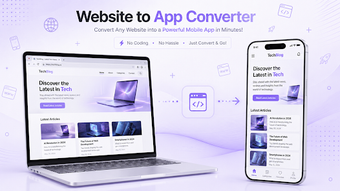
Website to App Builder by MAK APPS converts website URLs into installable Android applications without writing code. The tool wraps an existing site into an app while exposing controls for icons, splash screens, push notifications, and Google AdMob monetization. Its main interface focuses on URL input and visual setup, letting business owners and content creators publish a mobile presence quickly and manage user engagement through notifications and ad placement. No developer tools are required, so non-technical teams can prepare builds from a handheld device.
What types of websites and web apps are suitable for conversion?
The app supports a broad set of web platforms and modern web technologies. It opens and renders Progressive Web Apps and JavaScript-heavy pages, and explicitly lists compatibility with WordPress, Shopify, Wix, Squarespace, custom HTML5 sites, and SaaS dashboards. The builder accepts secure HTTPS sites and targets Android devices running Android 7.0 or higher, so deployments assume reasonably recent mobile environments.
How does the tool produce a store-ready Android build?
Build output focuses on packaging and Play Store alignment. The workflow lets you supply a URL and configure package name and versioning so the generated APK is designed to meet Google Play Store requirements. The app handles navigation, media playback, and file upload/download behaviors inside the packaged app, reducing manual post-build adjustments for typical web content.
Is the interface approachable for business users and editors?
The setup centers on visual asset and behavior choices rather than development steps. Users configure icons, splash assets, and simple preferences inside the app; the interface includes pull-to-refresh, exit confirmation dialogs, and offline error pages to improve end-user polish. The configuration model routes effort to branding and content readiness, which fits solo entrepreneurs and small teams preparing quick launches.
How does it interact with device hardware and complex web features?
The wrapped apps expose common native permissions and handle advanced web features. Native access covers camera, microphone, and geolocation, while the underlying web renderer supports HTML5 and modern JavaScript. Offline error handling and media playback support make dynamic sites behave more predictably on mobile, though the execution model depends on the embedded web renderer rather than native UI components.
Who should choose this tool and what trade-offs to expect
Website to App Builder is a practical option for small business owners and content creators who need a rapid Android presence derived from an existing site. The developer's focus on no-code production keeps onboarding light, but teams seeking deep native UI or platform-specific performance should expect trade-offs because the product packages web content rather than producing native widgets. For quick publishing of site-based apps, it performs reliably for that purpose.